Available on Both Android & iOS

C88 App – Bangladesh's Fastest & Easiest Mobile Betting Experience, Anywhere You Are

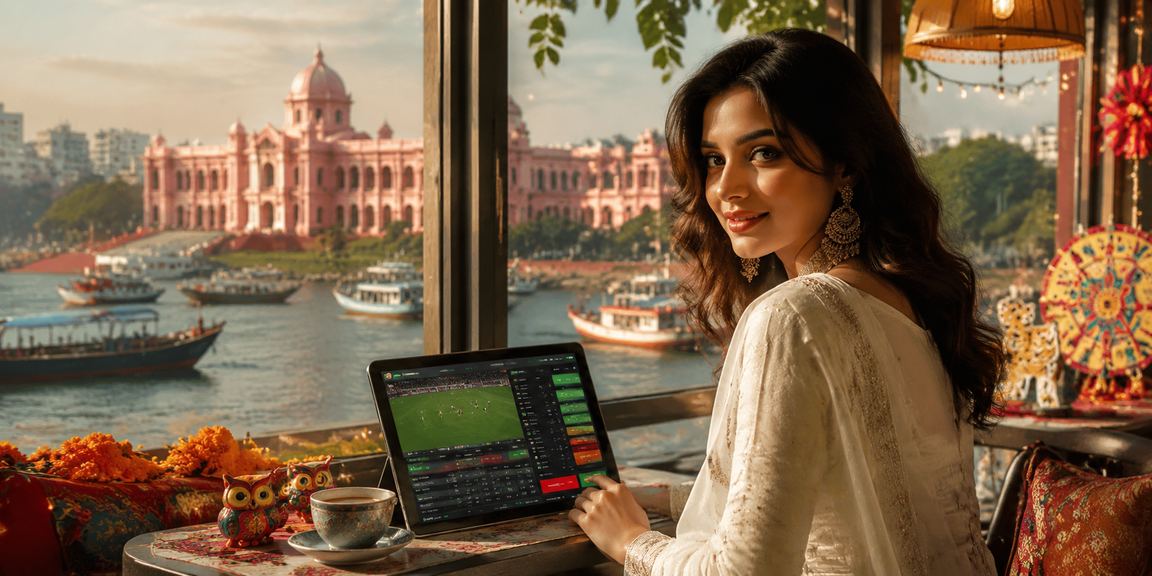
Stuck in Dhaka traffic, working at the Chattogram port, or relaxing on Cox's Bazar beach — the C88 app is always with you. Cricket betting, live casino, jackpots, and bKash payments, all in a single app.

Install the APK directly on Android. For iOS, you will receive an App Store link after registering.

C88 ৳8,450
Cricket
Football
Casino
Jackpot
Live
Bonus
Bangladesh vs India LIVE
Bangladesh 2.35
0
Total Downloads
4.8
User Rating
2 Seconds
Average Load Time
Android 5+
Minimum Version
48 MB
APK size
0
Updated This Year
Virus-free
SSL Secured
Official App
Offline Scores
Push Notifications
Fully in Bangla
What Sets the C88 App Apart

Mobile internet usage in Bangladesh has hit record levels — over 90% of people browse online via smartphone. C88 built its app with that reality in mind: it runs smoothly even on a 3G connection, with no risk of server crashes during big matches and no interruptions to live odds updates.

The C88 app interface is built with everyday Bangladeshi users in mind. There is no maze of options to get lost in — cricket, football, Live Casino, and jackpots are all accessible straight from the home screen. The bet slip opens in one tap, and placing a bet takes no more than two steps.

Bangla is the default language in the C88 app. Every menu, button, notification, and customer support chat is in Bangla. For users who are not comfortable in English, this app truly removes all barriers.


c88
App Highlights

Top features C88 app users love the most

2-Second Load Time
The C88 app is just 48 MB — quick to install and even quicker to launch. Even on a slow connection, the live betting screen opens within 2 seconds. It is easy on both your battery and your data.
Smart Push Notifications
Match start reminders, instant alerts when your bet wins, updates when new offers drop — all notifications are fully customizable. You only get what matters to you.
Biometric Login
No more typing your password every time. Log in instantly with your fingerprint or face unlock — secure and fast.
Live Streaming
Watch selected cricket and football matches directly in the C88 app. Live bet as the action unfolds — no need to switch to another app.
One-Tap Deposit
bKash, Nagad, Rocket — deep-linked with all major mobile banking apps. Deposit in just two taps and you're ready to play.
Dark Mode Support
Eye strain from long late-night sessions? Switch on Dark Mode in the C88 app — easier on the eyes and better for your battery.
c88
How to Install on Android

The C88 app is not available on the Google Play Store, but installing the APK file is straightforward. Just follow the steps below:

1
Enable Install from Unknown Sources
Go to your phone's Settings > Security and enable "Unknown Sources" or "Install unknown apps." This is required to install APK files. You can turn it off again after installation if you prefer.
2
Download the APK
Download the APK file directly from the official C88 website. Once the download is complete, you will see a notification in your notification bar.
3
Open the File & Install
Tap the notification or open your file manager, go to the Downloads folder, and open the C88 APK file. Tap "Install" — it will be done in about 30 seconds.
4
Log In or Register
Open the app, select Bengali, and log in with your mobile number. New here? Creating an account takes just 30 seconds.
5
Deposit & Play
Add funds with bKash or Nagad and jump straight into cricket betting or live casino. Get a bonus on your first deposit.
How to Install on iOS

For iPhone and iPad users, C88 is available on the App Store. The process is even simpler:

1
Register & Get the Link
When you register with C88, an App Store download link will be sent to your email. This cannot be provided directly through the browser, so creating an account is the first step.
2
Install from the App Store
Tap the link in the email, the App Store will open to the C88 app page. Hit "Get" or "Download", then confirm with your Apple ID password or Face ID.
3
Open the app and log in
Once installation is complete, you'll see the C88 icon on your home screen. Open it, enter your mobile number and password — or set up Face ID for faster logins going forward.
4
Start Playing
Deposit and dive into anything from cricket to Live Casino — whatever you feel like. Touch/Face ID payment confirmation is also supported on iOS.
Technical Specifications

C88 App System Requirements & Feature List

Android Version

Minimum Android VersionAndroid 5.0 (Lollipop)
Recommended versionAndroid 8.0 or above
APK File Size48 MB
RAM RequiredMinimum 2 GB
Storage required80 MB Free Space
Internet Connection3G / 4G / Wi-Fi
Biometric Login Supported
Push Notifications Supported
Dark Mode Supported

iOS Version

Minimum iOS VersionIOS 13.0
Recommended versionIOS 16 or above
App Size62 MB
Supported DevicesIPhone 6s and above, iPad Air 2+
Storage required100 MB Free Space
Internet Connection3G / 4G / 5G / Wi-Fi
Face ID / Touch ID Supported
Push Notifications Supported
Dark Mode Supported
c88
App vs Mobile Browser

What You Get When You Download the C88 App

Mobile Browser
  • No Installation Required
  • Have to type login details every time
  • Push notifications limited
  • No dark mode
  • No bKash deep-link — requires switching to a separate app
  • Nothing visible in offline mode
  • App-only offers not available
  • Loading can be slow at times

Everything You Can Do on the C88 App — In Detail

The C88 app is more than just a betting platform — it's a complete gaming experience in the palm of your hand. From cricket, football, and tennis to live baccarat, roulette, and blackjack, it's all in one place. Every game's UI is optimised specifically for mobile, making the app a smoother experience than the desktop site.

The C88 app's live betting section delivers ball-by-ball cricket updates in real time. Odds refresh after every delivery, and you can see the current run rate, required run rate, and wicket status right on screen — giving you everything you need to make informed decisions on the spot.

The C88 app's notification system is thoughtfully designed. You can choose exactly what you hear about — just win alerts, or new offers too. Enable 'Quiet Mode' at bedtime and all notifications will pause until morning.

C88 app makes payments as simple as it gets. To deposit, go to the Wallet tab and select bKash or Nagad. The app takes you directly to your mobile banking app — confirm the amount and your balance updates instantly. Withdrawals work the same way, with funds arriving in an average of 5 minutes.

The C88 app updates every 4–6 weeks. Each update brings new games, performance improvements, and UI refinements based on user feedback. Install updates as soon as you get the notification — they are typically under 10 MB.

Privacy Policy

The C88 app does not collect your device information, location, or contact list. Only the data necessary for gaming and payments is stored, and it is fully encrypted. Learn More →

App-Exclusive Benefits
  • Extra 5% Bonus on Your First App Deposit
  • App-only free spin offers
  • Boosted odds for app users on select cricket matches
  • Fast-Track KYC Verification
  • Exclusive Flash Deals via App Notifications
Responsible Gaming

The C88 app includes built-in limit controls. Go to Settings > Responsible Gaming to set your daily betting limit and session time.

Learn More
c88
User Reviews

What C88 App Users Are Saying

The C88 app really is something different. It runs perfectly smoothly even on my Samsung J6. Having everything in Bangla means I never struggle to figure out new features. Biometric login is hands down my favourite thing about it.
Zubayer Hossain
Mymensingh
I place cricket bets on my mobile during office breaks. The C88 app loads so fast I can get a bet in within a 5-minute break. Depositing via bKash takes just 30 seconds.
Parveen Sultana
Gazipur
Ever since I got the C88 app on my iPhone, I haven't gone back to the browser. Face ID logs me in instantly, push notifications keep me updated on my bets, and I even received an app-exclusive bonus last month.
Taufiqur Rahman
Narayanganj
FAQs

Bonuses on C88 cannot be withdrawn directly — you first need to complete a specified amount of bets, known as the wagering requirement. For example, if your bonus is ৳1,000 with a 30x wagering requirement, you need to place a total of ৳1,000 × 30 = ৳30,000 in bets. These bets can be placed across any sports market or eligible games. Keep in mind that only bets with odds of at least 1.5 count towards wagering — anything below that threshold does not qualify. You can always check how much wagering remains and when your bonus expires in the Wallet > Bonus section of the app. Wagering conditions vary by offer, so it is worth reviewing the terms before claiming.

You can temporarily suspend your own account directly from the C88 app. Go to Settings > Responsible Gaming > Self-Exclusion and choose a 7-day, 30-day, or 90-day suspension — you will not be able to log in during this period. To permanently close your account or delete your data, email customer support at support@c88.express or let us know via live chat. Requests are processed within 7 business days of receipt. Before closing your account, make sure all withdrawals have been completed and there is no active bonus balance — otherwise these will be forfeited.

Download the C88 App Now

Android or iOS — whatever phone you use, the C88 app delivers Bangladesh's best betting experience.

বাংলা